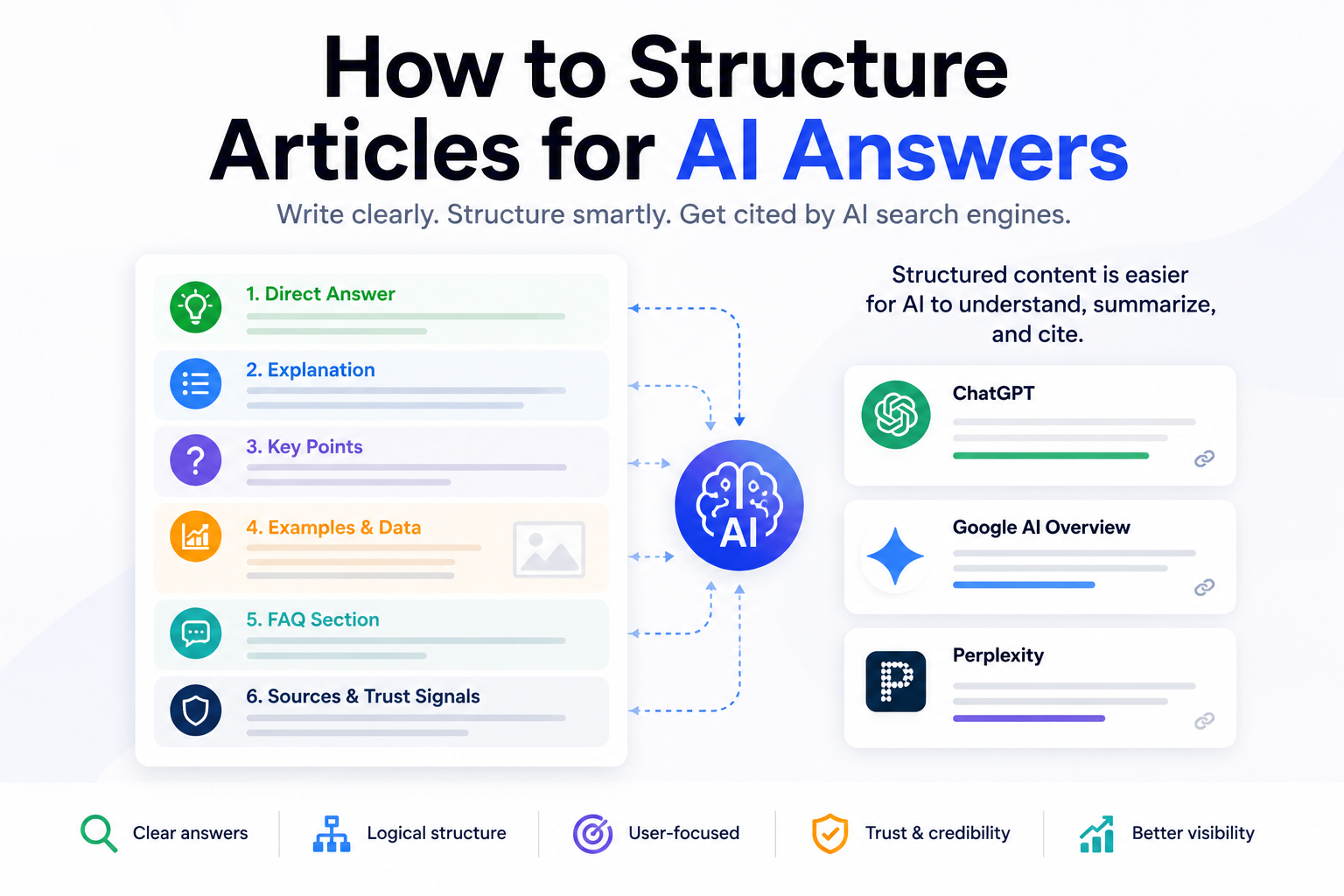
How to Structure Articles for AI Answers
To structure articles for AI answers, write in a way that makes the main idea easy to find, easy to understand, and easy to verify.
That means your article should:
- answer the main question early
- use clear headings
- organize sections around real user questions
- include concise explanations before deeper detail
- add examples, tables, and checklists where useful
- support important claims with credible sources
- include FAQs that answer natural follow-up questions
The goal is not to write for AI instead of humans. The goal is to write so clearly that both people and AI systems can understand what your page is about.
This matters because search is becoming more answer-driven. Google AI Overviews can summarize key information with links for users to explore more, ChatGPT Search can give timely answers with links to relevant web sources, and Perplexity describes itself as an answer engine that provides responses backed by verifiable sources.
In simple terms:
A traditional article explains a topic. An AI-ready article explains the topic in a way that can also be summarized, cited, and reused as a direct answer.
Why Article Structure Matters in AI Search
Article structure has always mattered for SEO, but it matters even more in AI search.
A human reader can skim, interpret, and connect ideas even when the page is messy. AI systems are also good at summarizing text, but they still benefit from clean structure, clear context, and strong signals about what each section means.
In other words, if an article is not written in a clear manner, a human might still be able to infer what it is about, what it is trying to say, and understand explanations. For an AI system that doesn’t always get nuance or can’t always infer on context, it is better to structure in a clear and concise way with very clear information.
A poorly structured article creates friction.
For example, if an article has a vague title, a long introduction, unclear headings, no direct answer, and no examples, it may still contain useful information. But the useful information is harder to extract.
A well-structured article does the opposite. It makes the answer obvious without requiring the user to skim through paragraphs to find the answer they originally searched for.
Good structure helps with:
- reader comprehension
- search engine crawling
- featured snippet opportunities
- AI Overview eligibility
- ChatGPT and Perplexity citation potential
- internal linking
- content refreshes
- repurposing into social posts, videos, and newsletters
Google’s guidance for AI search experiences continues to emphasize helpful, satisfying, non-commodity content created for users, not content written only to manipulate systems.
That is the point of AI-ready structure: make the article more useful, not more robotic.
Traditional Blog Structure vs AI Answer Structure
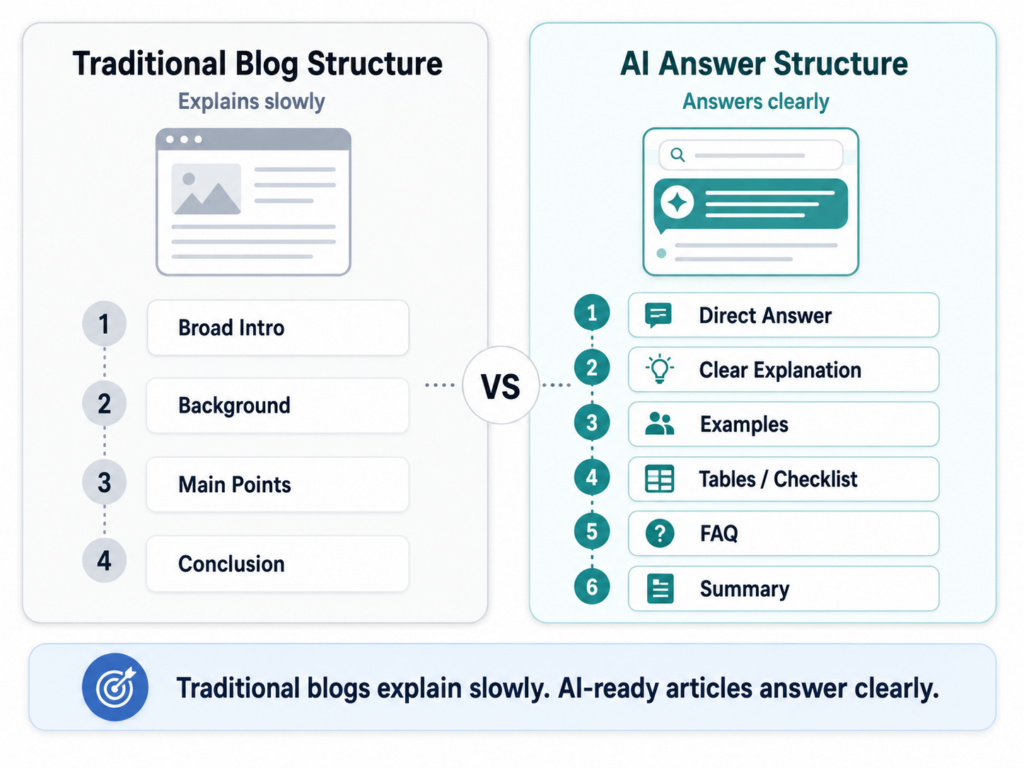
A traditional blog article often looks like this:
- Broad introduction
- Background context
- Main points
- Conclusion
That can work, but it often delays the answer. The traditional blog structure is often used to introduce more information and not really to answer questions directly. It tells a story in long content format. This doesn’t mean it’s a bad structure its just not optimal for AI answers.
An AI-answer-friendly article usually works better with this structure:
- Direct answer
- Simple explanation
- Deeper context
- Examples
- Comparison or framework
- Checklist
- FAQ
- Summary
The difference is not just formatting. It is intent. A traditional blog post may be written like an essay. An AI-ready article is written like a helpful resource.
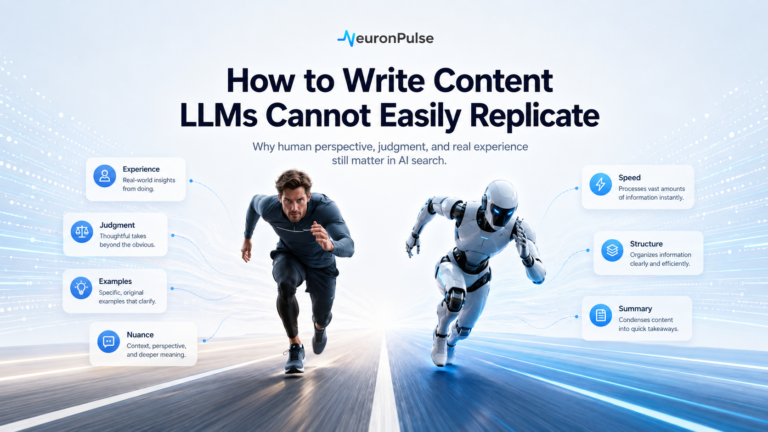
It still needs personality, examples, judgment, and a human point of view. But it should not make the reader dig for the answer. Think of the structure as layers in a cake. Each layer adds something to the overall taste and presentation. The top layer should be where the answer is. Easily found and very straightforward.
The Ideal AI-Ready Article Format
There is no single perfect article template, but this format works well for educational, how-to, and comparison content. You can change it as you like to fit your style of writing but in general this works quite well.
1. Title That Matches a Real Question
Your title should make the promise clear.
Good examples:
- What Is AEO?
- AEO vs SEO: What’s the Difference?
- How to Optimize for ChatGPT Search
- How to Structure Articles for AI Answers
Weak examples:
- The Future of Content
- Everything You Need to Know
- Digital Strategy in the AI Era
The weak titles are too broad. The strong titles tell the reader exactly what the article will answer. The strong titles are in question form, ready to answer a query.
2. Direct Answer at the Top
The first section should answer the title question as clearly as possible.
For this article, the answer is:
To structure articles for AI answers, begin with a direct answer, organize the page around user questions, use clear headings, add examples and FAQs, and support important claims with trustworthy sources.
That sentence works because it gives the reader the answer before asking for more of their time.
Do not start every article with a definition, though. That can get repetitive across a site. Sometimes the best opening is:
- a direct answer
- a practical example
- a common mistake
- a short scenario
- a surprising contrast
The rule is not “always define first.”
The rule is: do not waste the opening.
3. Short Context Section
After the direct answer, explain why the topic matters.
For example:
AI search systems often summarize content from multiple sources. If your article is vague, buried in filler, or missing clear answer blocks, it becomes harder to use as a reliable source.
This gives the reader a reason to keep reading. So you can still add more details after the main questions have been answered. Use facts and citations to back up your opening answer/sentence.
4. Step-by-Step Main Body
Use the body of the article to teach the process.
For this topic, the main sections might be:
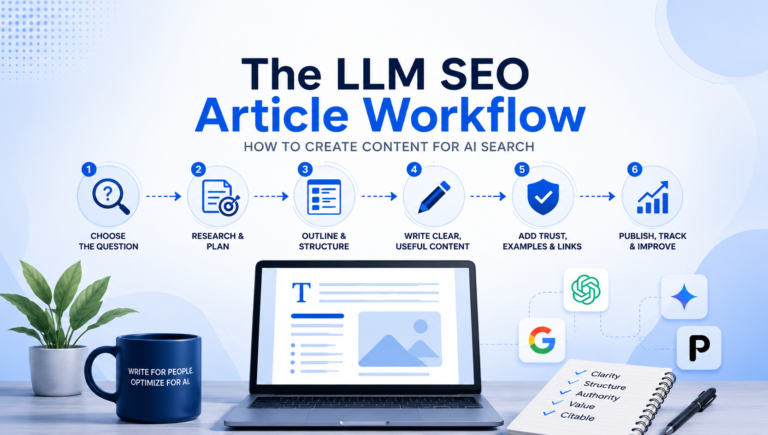
- Choose the main question
- Write the short answer
- Build the outline around sub-questions
- Add examples
- Add comparison tables
- Add FAQs
- Add trust signals
- Add internal links
- Review for clarity
Each section should do one job.
5. Examples and Before/After Sections
Examples make AI search content feel less generic.
Instead of only saying:
Add direct answers.
Show it.
Weak version:
Search optimization has changed a lot because AI tools are becoming more popular and businesses need to adapt their content strategy.
Better version:
AI search optimization is the process of making your content easier for AI systems to understand, summarize, cite, and recommend.
The second version is stronger because it can stand alone as an answer.
6. A Practical Checklist
A checklist turns the article from explanation into action.
This is especially important for AI search content because readers are usually not just trying to understand a concept. They want to apply it to a real page, article, or website. After reading about AEO, LLM SEO, or Google AI Overviews, the next question is usually:
“What should I actually change on my page?”
A checklist gives them a simple way to evaluate their own content.
For example, an article about structuring content for AI answers could include a checklist like:
- Does the article answer the main question in the first few lines?
- Are the headings clear and specific?
- Does each section answer one useful question?
- Are examples included?
- Are comparison tables used where they make sense?
- Are important claims supported with credible sources?
- Is there an FAQ section with real follow-up questions?
- Are internal links added to related articles?
- Is the content written clearly enough for a beginner to understand?
- Would this page be useful as a source for an AI-generated answer?
A checklist also improves the reading experience. Some readers will read the full article, but others will skim and look for the practical steps. A checklist gives both types of readers value. The more boxes you can tick with readers, the better in my opinion. If this helps get your articles in AI search than thats even better.
For AI search optimization, checklists are useful because they make your advice concrete. Instead of saying “create better content,” you are showing what “better” means: clearer answers, stronger structure, better examples, credible sources, and useful next steps.
A good checklist should not be too generic. It should be specific to the article topic. If the checklist could appear in any marketing article, it probably needs more detail. The best checklists feel like a quick audit tool the reader can use immediately.
For NeuronPulse, checklists are also valuable because they can become reusable assets. A checklist inside an article can later become:
- a downloadable PDF
- a lead magnet
- a LinkedIn carousel
- a newsletter section
- a client audit template
- a paid worksheet or prompt pack
So the checklist is not just a formatting device. It is a practical bridge between the article and a useful workflow.
7. FAQ Section
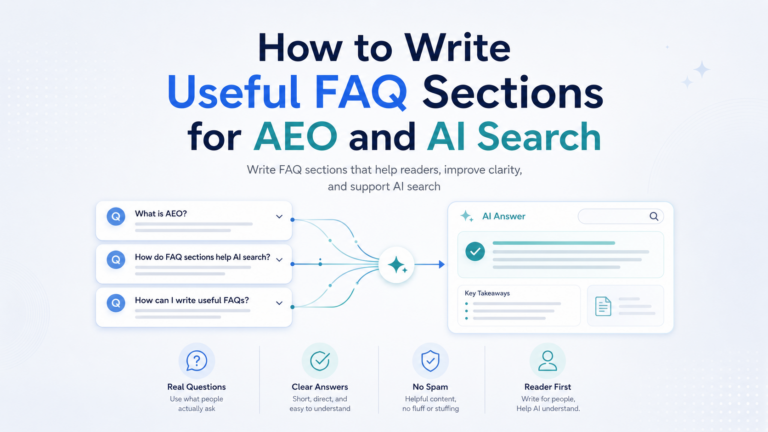
FAQ sections are useful because they match the way people ask follow-up questions. Your title is typically a “main question”. Then you’ll have subtitles that can also answer some questions or expand on the topic with informational data. The FAQs are there to answer any follow up queries that a user might have.
For this article, readers may ask:
- Should every article include FAQs?
- How long should an AI-ready article be?
- Do headings matter for AI search?
- Does schema help?
- Can AI-written content rank?
- How do I make content less robotic?
Those questions deserve short, clear answers.
How to Structure an Article for AI Answers: Step-by-Step
Step 1: Identify the Main Question
Before writing, decide what question the article is supposed to answer.
Not the keyword. The question.
For example:
Keyword:
Main question:
What is the difference between AEO and SEO?
Keyword:
optimize for Perplexity
Main question:
How do I make my content more likely to appear as a cited source in Perplexity?
Keyword:
Peru vacation packages
Main question:
What should travelers know before choosing a Peru vacation package?
This shift matters. Keywords help you find demand. Questions help you write useful content.
Step 2: Write the One-Sentence Answer
Before drafting the full article, write the shortest useful answer.
Example:
AEO differs from SEO because SEO focuses on helping pages rank in search results, while AEO focuses on helping content become a clear, direct answer in search and AI experiences.
This one-sentence answer becomes the anchor for the article.
If you cannot explain the topic in one sentence, the article probably needs more focus.
Step 3: Build the Outline Around Follow-Up Questions
Once you have the main answer, ask what the reader needs next.
For AEO vs SEO, follow-up questions might include:
- What is SEO?
- What is AEO?
- Is AEO replacing SEO?
- How do they work together?
- How do you optimize for both?
- What are examples of SEO content vs AEO content?
This creates a logical article structure.
It also mirrors how AI search works. A user asks one question, then follows up with related questions.
Step 4: Use Headings That Actually Say Something
A heading should help the reader before they read the paragraph.
Weak headings:
- Introduction
- Overview
- More Details
- Important Things
- Final Thoughts
Better headings:
- Why Article Structure Matters in AI Search
- Traditional Blog Structure vs AI Answer Structure
- How to Write Direct Answer Sections
- How to Add Examples Without Making the Article Longer
- AI-Ready Article Checklist
Clear headings make the page easier to skim and easier to interpret.
Step 5: Write in Layers
Good AI-ready articles often use layered writing.
Start with the simplest explanation. Then add detail.
Example structure:
Short answer:
AEO helps content become a direct answer.
Expanded explanation:
It does this through clear definitions, question-based headings, FAQs, tables, and concise answer blocks.
Example:
A page about “best time to visit Peru” should include a direct answer near the top, then explain differences by region, season, crowds, and travel style.
This style works because it serves both quick readers and deeper readers.
Step 6: Add “Answer Blocks”
An answer block is a short paragraph that can stand alone.
Example:
An AI-ready article is not shorter by default. It is clearer by design. It gives quick answers where readers need them, then supports those answers with context, examples, and proof.
Use answer blocks after important headings.
They are helpful for:
- featured snippets
- AI summaries
- quick readers
- social repurposing
- newsletter excerpts
But do not overdo them. If every paragraph sounds like a glossary entry, the article will feel stiff.
Step 7: Use Tables When the Reader Is Comparing
Tables are one of the most useful formatting tools for AI-ready articles because they make comparisons easier to understand at a glance.
Whenever a reader is trying to compare two or more things, a paragraph may not be the best format. A table can organize the same information more clearly and help the reader make a decision faster.
Tables work especially well when the article compares:
- concepts
- tools
- strategies
- platforms
- pricing options
- pros and cons
- workflows
- destinations
- service packages
- content types
For AI search, this matters because comparison-based queries are common. People often ask questions like:
“What is the difference between AEO and SEO?”
“Is ChatGPT Search better than Perplexity?”
“Should I write a blog post or a landing page for this topic?”
“Which AI tool is best for creating a landing page?”
A table gives the answer a cleaner structure. It also reduces confusion because the reader can compare each item using the same criteria.
For example, in an article about AEO vs SEO, a table can compare the goal, content style, success metrics, and best use cases. In an article about ChatGPT Search vs Perplexity vs Google AI Overviews, a table can show how each platform handles answers, sources, and visibility.
Tables are also useful because they force you, as the writer, to clarify your own thinking. If you cannot explain the difference between two concepts in a table, the comparison may not be clear enough yet.
A good comparison table should not be overloaded. Keep it focused on the details that actually help the reader. Too many columns can make the table hard to read, especially on mobile.
Here is a simple reference guide:
| Article Situation | Best Table Type | Example |
|---|---|---|
| Comparing two concepts | Difference table | AEO vs SEO: goal, focus, format, success metric |
| Comparing three or more terms | Multi-column comparison table | GEO vs AEO vs LLM SEO |
| Comparing tools | Tool comparison table | ChatGPT vs Claude vs Gemini for article outlines |
| Comparing platforms | Platform comparison table | ChatGPT Search vs Perplexity vs Google AI Overviews |
| Comparing workflows | Process comparison table | Manual content workflow vs AI-assisted content workflow |
| Comparing service options | Package table | Basic audit vs full AI search strategy vs monthly content package |
| Comparing pros and cons | Pros/cons table | Using AI to write articles: benefits vs risks |
| Comparing buyer options | Decision table | Best AI SEO tool for beginners, agencies, or enterprise teams |
| Explaining article structure | Template table | Traditional blog structure vs AI-ready article structure |
| Explaining timelines | Timeline table | What to do before publishing, after publishing, and during updates |
For AI-ready content, tables are especially helpful in these types of articles:
| Article Type | Why a Table Helps |
|---|---|
| “What’s the difference?” articles | Makes the comparison instantly clear |
| “Best tools” articles | Helps readers compare features and use cases |
| “How to choose” articles | Helps readers make a decision |
| “Checklist” articles | Turns advice into an action plan |
| “Workflow” articles | Shows steps, tools, and outcomes clearly |
| “Platform comparison” articles | Keeps similar platforms from blending together |
| “Pricing” articles | Helps readers understand options quickly |
| “Beginner guides” | Simplifies complex ideas |
For example, instead of writing several paragraphs explaining the difference between SEO, AEO, GEO, and LLM SEO, you can use a table like this:
| Term | Main Focus | Best Use |
|---|---|---|
| SEO | Helping pages rank in search results | Building organic visibility and traffic |
| AEO | Helping content become a direct answer | Featured snippets, AI answers, voice search, FAQs |
| GEO | Improving visibility in generative AI responses | ChatGPT, Gemini, Claude, Perplexity, AI Overviews |
| LLM SEO | Helping language models understand and cite your brand | Entity clarity, topical authority, citations, recommendations |
That kind of table helps both readers and AI systems understand the relationships between terms.
The best rule is simple:
If the reader needs to compare, choose, evaluate, or decide, use a table.
But do not use tables just to look structured. Use them when they genuinely make the answer clearer.paragraphs alone.
Step 8: Include Examples From Real Use Cases
This is one of the easiest ways to make content sound human.
For NeuronPulse, examples can come from:
- SEO articles
- local business pages
- SaaS pages
- travel agency pages
- ecommerce category pages
- landing pages
- AI tool reviews
- prompt workflows
Example:
A travel agency article about “Peru vacation packages” should not only list destinations. It should answer practical questions like how many days travelers need, when to visit, what is included, how Machu Picchu tickets work, and whether private tours are worth it.
That feels more useful than generic advice.
Step 9: Add Sources Where They Matter
Not every sentence needs a citation. But important claims should be supported.
Use sources when discussing:
- platform features
- Google guidance
- OpenAI documentation
- Perplexity behavior
- medical, legal, or financial topics
- statistics
- fast-changing AI search details
For example, if you say ChatGPT Search can provide answers with links to relevant web sources, cite OpenAI. If you say Google uses structured data to understand page content, cite Google Search Central.
Citations are not just for SEO. They help readers trust you.
Step 10: Add Internal Links With Purpose
Internal links should help the reader continue naturally. This helps the user find more useful information as they skim through content, and ir provides a bridge for AI search to connect your content to each other. This assists in general ranking creating citations, giving context, and generating topical authority.
From this article, you could link to:
- What Is LLM SEO?
- What Is AEO?
- AEO vs SEO
- GEO vs AEO vs LLM SEO
- How to Optimize for ChatGPT Search
- How to Optimize for Google AI Overviews
- How to Optimize for Perplexity
Do not add internal links randomly. Add them when the reader may need the next explanation.
A good internal link answers the reader’s next question.
Step 11: Add a Useful FAQ Section
A good FAQ section should not repeat the article. It should handle related doubts.
For this article, a useful FAQ might answer:
- Should every article start with a direct answer?
- How many FAQs should an article include?
- Can AI-written content be optimized for AI search?
- Do I need schema?
- How do I make content sound less robotic?
FAQ sections are also a good place to capture long-tail questions without disrupting the main flow.
Step 12: Edit for Human Flow
This is the step many AI search articles miss.
Clear structure does not mean mechanical writing.
Before publishing, read the article out loud and ask:
- Does this sound like a person wrote it?
- Are we repeating the same phrase too often?
- Does each section add something new?
- Are there examples?
- Are the transitions natural?
- Is the opening useful?
- Is the conclusion more than a summary?
A lot of AI-era content fails because it is technically structured but boring.
The best content is structured enough for machines and natural enough for people.
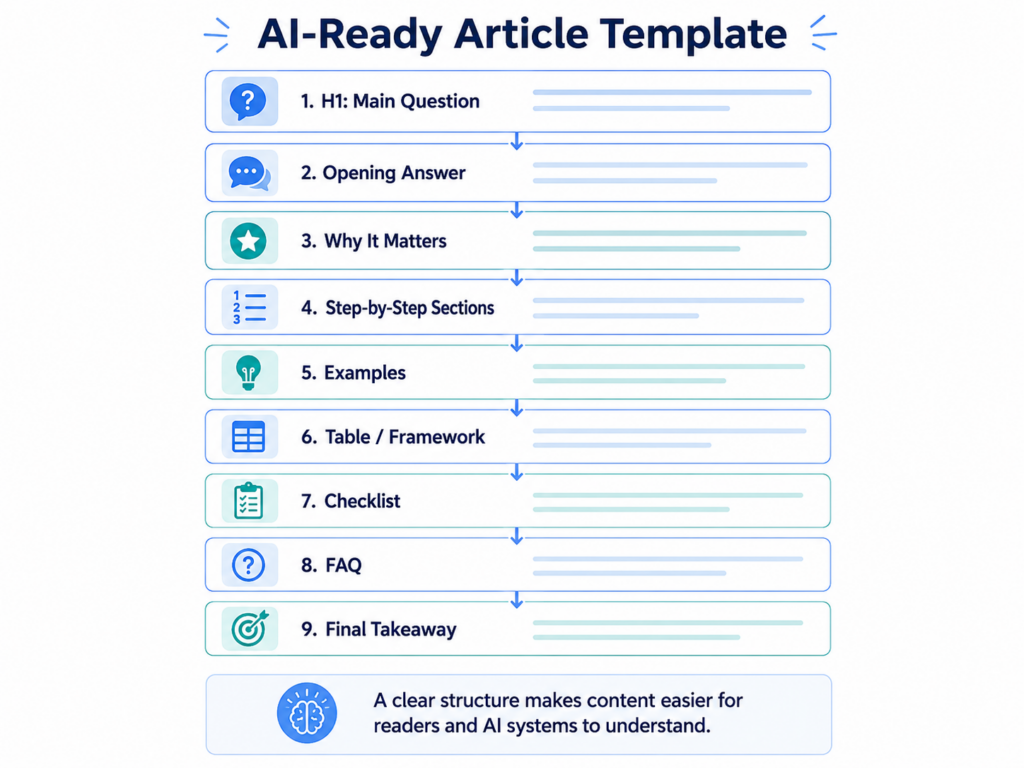
The AI-Ready Article Template
Use this as a practical template.
H1: Main Question or Clear Promise
Example:
How to Structure Articles for AI Answers
Opening Answer
Give the answer in two to four sentences.
Why It Matters
Explain what changed and why the reader should care.
Core Concept
Define or explain the main idea in plain language.
Step-by-Step Process
Break the process into clear sections.
Examples
Show weak vs stronger examples.
Tables or Frameworks
Use these when they make the concept easier to understand.
Checklist
Give readers a way to apply the advice.
FAQ
Answer natural follow-up questions.
Final Takeaway
End with a useful conclusion, not a generic wrap-up.
Before and After: AI-Ready Article Structure
Before: Traditional Blog Opening
In today’s fast-paced digital world, businesses are constantly searching for innovative ways to improve their visibility online. With the rise of artificial intelligence, content marketing has entered a new era, and brands need to adapt to remain competitive.
This sounds familiar, but it does not say much.
After: AI-Ready Opening
To structure an article for AI answers, start by answering the main question clearly, then organize the rest of the page around the follow-up questions a reader is likely to ask. Use headings, examples, tables, FAQs, and credible sources to make the content easy to understand and verify.
The second version is better because it gives the reader value immediately.
AI-Ready Article Checklist
Before publishing, review the article against this checklist.
Strategy
- Is there one clear main question?
- Does the article match the reader’s intent?
- Is the topic connected to a broader content cluster?
- Does the article add something beyond generic AI output?
Structure
- Does the article answer the main question early?
- Are the headings specific?
- Are sections organized logically?
- Are important ideas easy to skim?
- Are tables or lists used where helpful?
Usefulness
- Are there real examples?
- Does the article include practical steps?
- Are vague claims removed?
- Does each section add new value?
- Is the article written for a real person?
Trust
- Are important claims supported?
- Is the author or brand clearly identified?
- Are internal links added?
- Is the content current?
- Are sources credible?
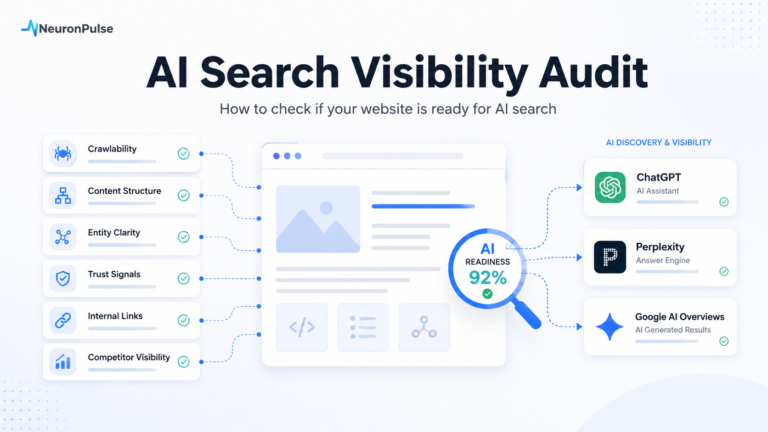
AI Readiness
- Can the main answer be summarized easily?
- Are definitions clear?
- Are related questions answered?
- Are entities and topics easy to understand?
- Would this page be useful as a source?
Common Mistakes When Writing for AI Answers
Mistake 1: Writing a long intro before giving the answer
A long warm-up can make the article feel slow. If the title asks a question, answer it early.
Mistake 2: Making every article follow the same formula
Templates are useful, but readers can feel when every article has the same rhythm. Vary the opening, examples, section flow, and conclusion.
Mistake 3: Confusing structure with quality
Headings and FAQs help, but they do not fix thin content. The article still needs insight.
Mistake 4: Using FAQs as filler
An FAQ section should answer real questions. If the answers are obvious or repetitive, cut them.
Mistake 5: Forgetting brand point of view
Your article should not sound like a neutral encyclopedia entry. Add judgment, recommendations, and practical experience.
Final Takeaway
AI-ready article structure is not about writing stiff, robotic content.
It is about making your expertise easier to understand.
A strong article should answer the main question quickly, guide the reader through the topic, provide examples, support important claims, and make the next step obvious.
For NeuronPulse, the standard should be simple:
Write for people first, but structure the article so AI systems can understand, summarize, and cite it.
That is the balance that modern SEO, AEO, GEO, and LLM SEO all depend on.
FAQ About Structuring Articles for AI Answers
Most informational articles should answer the main question early, but not every article needs the exact same opening style. You can start with a direct answer, a short example, a common mistake, or a clear scenario. The key is to be useful immediately.
The article should be as long as needed to answer the question well. Some topics need 800 words. Others need 2,500 words or more. Length matters less than usefulness, clarity, and completeness.
Yes, FAQs can help because they answer natural follow-up questions. But they should be genuinely useful, not added as filler.
Schema can help search engines understand certain page types, but it does not guarantee AI visibility. Google says structured data helps it understand page content and can make pages eligible for certain Search features.
AI-assisted content can perform if it is helpful, accurate, original, and created for people. Google has said its focus is on content quality, not whether content was created with AI or not.
Add real examples, specific opinions, varied sentence rhythm, first-hand observations, and practical recommendations. Also remove repeated phrases, generic introductions, and filler transitions.
The most important part is clarity. If the article does not clearly answer the reader’s question, the rest of the structure will not matter much.